Do this when you want to buy groceries and collect them at your shop.
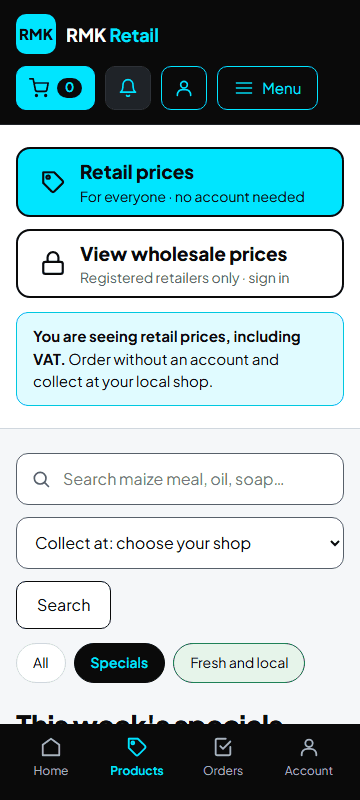
- Tap the cyan Products button at the top.
-
Under Collect at, choose your shop.
-
Type what you want in the search box, for example "maize meal", and tap the white Search button. Or tap a button in the row: Specials, Fresh produce, Local brands or More products.
-
Tap the cyan Add to cart button under a product.
-
Tap + for more or − for less.
-
When your list is done, tap the cyan Checkout button under Your order.
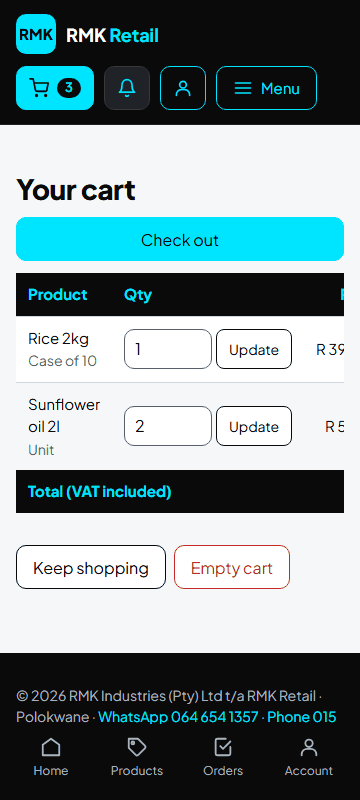
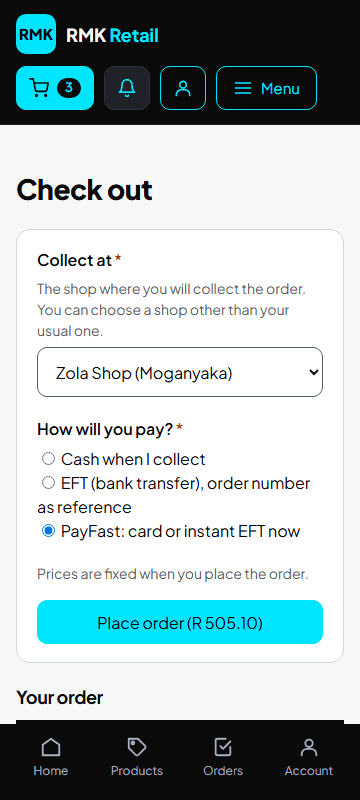
- Check Collect at: your usual shop is chosen for you. You can choose another shop.
-
Under How will you pay?, choose PayFast, EFT or Cash when I collect.
-
If you have a voucher or store credit, leave Use my loyalty voucher or Use my RMK store credit ticked. It pays first.
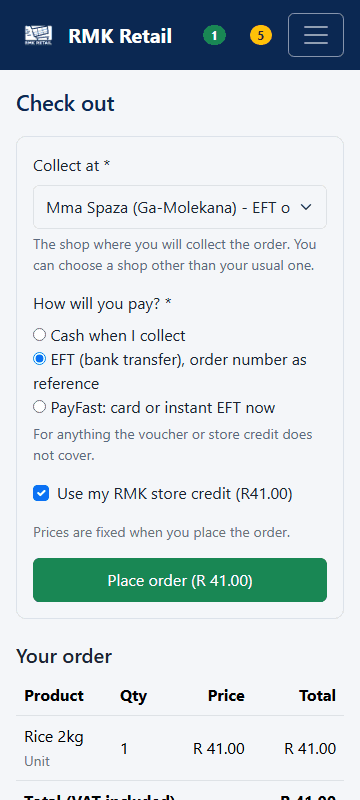
- Tap the cyan Place order button.
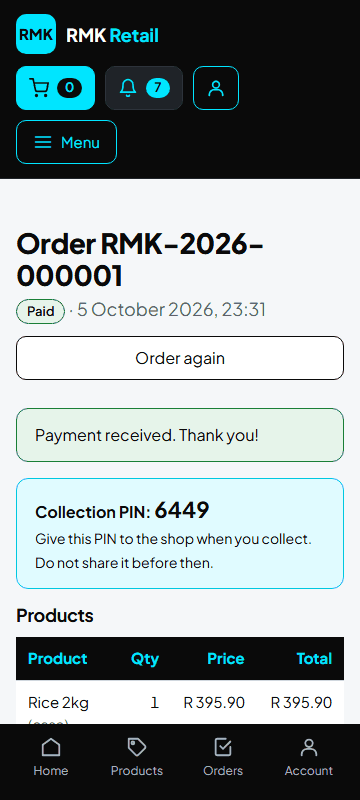
What you will see
Your order number and your collection PIN. Your order says Waiting for the shop: the shop has 24 business hours to accept it. Do not pay yet. Prices are fixed when you place the order and include everything; there is nothing to pay for delivery.
If something goes wrong
- You cannot choose cash This shop does not take cash orders. Pay by EFT or PayFast, or choose a shop that takes cash.
- The shop declined your order Open the order. Choose another shop and tap the cyan Send the order to this shop button, or tap the red-bordered Cancel order button. You have paid nothing.
- You want to cancel You can cancel while the order is not paid yet. Open the order and tap Cancel order. Voucher or store credit money goes back to you.
Ask for help
WhatsApp 064 654 1357 · phone 015 296 4695 · e-mail connect@rmkretail.co.za · Monday to Friday 08:00–17:00, Saturday and Sunday 08:00–14:00.