Do this once, so your orders, vouchers and WhatsApp orders are kept together. You can also buy without signing up.
- If a sales rep or a shop gave you a link or a QR code, open it. Otherwise tap Register at the top (on a phone, tap Menu first).
-
Tap I buy from my local shop.
-
Tap the cyan Continue button.
-
Type your first name, last name and cellphone number. Your cellphone number is how you sign in.
-
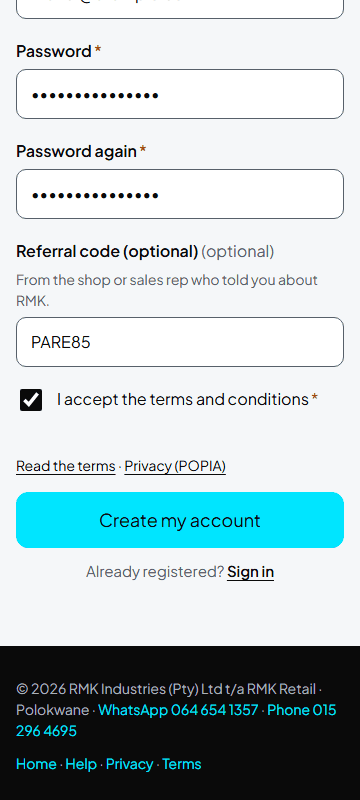
Choose a password and type it again.
-
Tick the box to accept the terms.
-
Tap the cyan Create my account button.
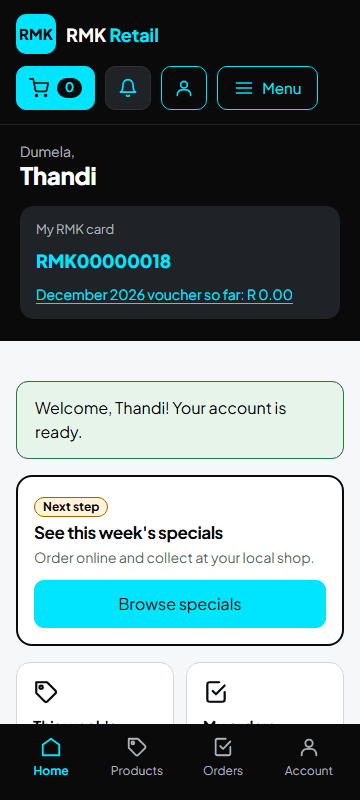
What you will see
Your home page, with the tiles This week's specials, My orders, Buy again and My loyalty card. Orders you placed before without an account, with the same cellphone number, move to your account.
If something goes wrong
- "This number is already registered" You already have an account. Tap Sign in.
- You forgot your password On the sign-in page, tap Forgot your password? for an e-mail, or Reset it with a WhatsApp code for a 6-digit code on WhatsApp. Type the code and a new password, and tap Change my password.
- Signing in does not work Use the cellphone number you signed up with. 082 123 4567 and +27821234567 both work.
Ask for help
WhatsApp 064 654 1357 · phone 015 296 4695 · e-mail connect@rmkretail.co.za · Monday to Friday 08:00–17:00, Saturday and Sunday 08:00–14:00.