Do this after the shop accepts your order. Not before.
-
Wait for the message "Your order … is accepted – pay now".
-
Tap My orders in the menu, or Orders in the black bar at the bottom.
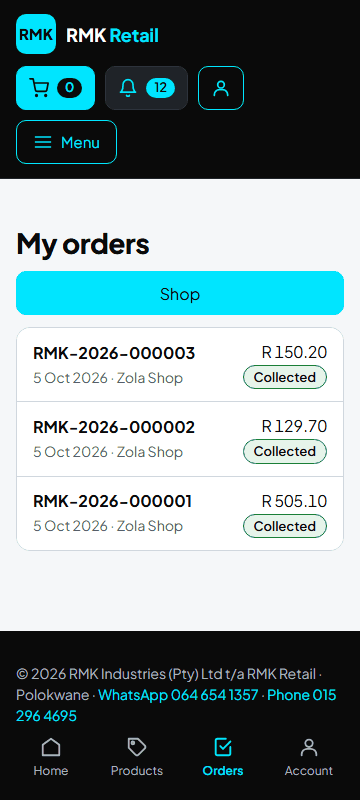
-
Tap your order number.
-
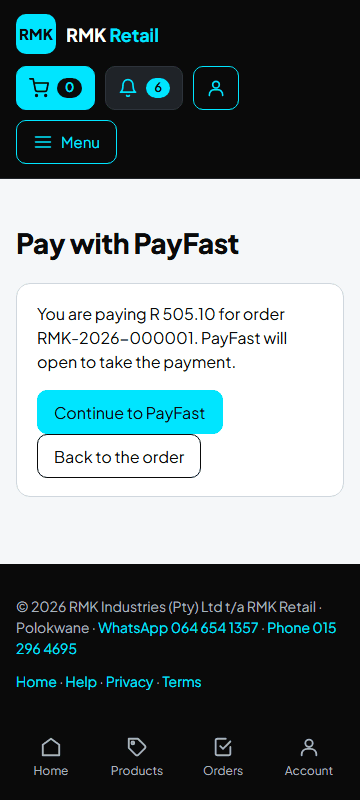
PayFast: tap the cyan Pay now with PayFast button, then the cyan Continue to PayFast button, and pay with your card.
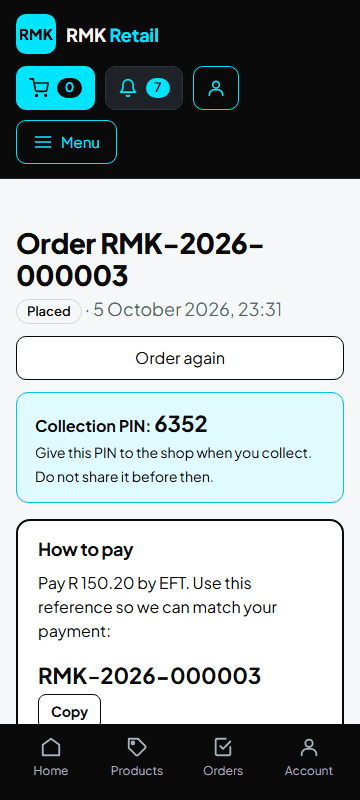
- EFT: pay into RMK's bank account shown under How to pay. Use your order number as the reference.
- Cash: pay the shop in cash when you collect.
What you will see
Your order says Paid. Then RMK buys your goods, puts them on the truck, and your order says Ready for collection when they are at your shop. You get a message.
If something goes wrong
- There is no "Pay now" button The shop has not accepted your order yet. Wait for the message.
- You paid by EFT but the order still says Placed RMK sees your payment the next working day. Use your order number as the reference.
- PayFast is done but the order is not paid Wait a few minutes and open the order again. Still not paid? Send RMK your order number.
Ask for help
WhatsApp 064 654 1357 · phone 015 296 4695 · e-mail connect@rmkretail.co.za · Monday to Friday 08:00–17:00, Saturday and Sunday 08:00–14:00.