Do this to show your card at the shop or to see your vouchers.
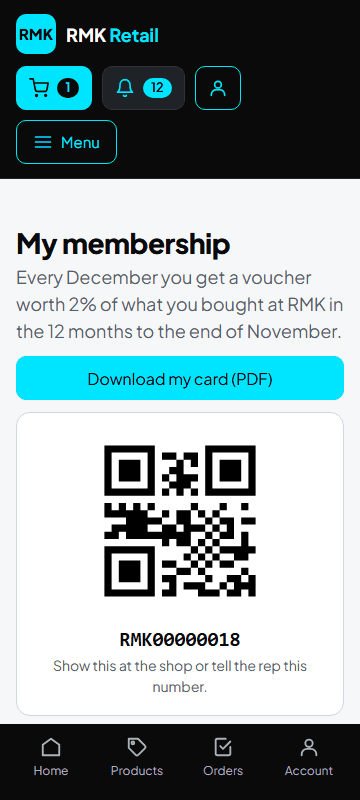
- Tap My card and vouchers in the menu, or the My loyalty card tile on your home page.
-
Show the QR code at the shop, or tell the sales rep your membership number.
-
To print your card, tap the cyan Download my card (PDF) button.
-
Look under My vouchers for what is left and the date to use it by.
-
At checkout, leave Use my loyalty voucher ticked to pay with it.
What you will see
Every December you get a voucher worth 2% of what you bought from 1 December to 30 November. There is no voucher under R10. Use it before 31 March. If a shop lets you buy on a tab, My tabs at shops shows what you owe and by when.
If something goes wrong
- You have no voucher Your first voucher comes in December.
- The voucher is not used at checkout Make sure Use my loyalty voucher is ticked.
Ask for help
WhatsApp 064 654 1357 · phone 015 296 4695 · e-mail connect@rmkretail.co.za · Monday to Friday 08:00–17:00, Saturday and Sunday 08:00–14:00.