RMK pays your commission into your bank account after each month ends.
- Tap Commission in the menu.
-
Under How you are paid, type your Bank, Account holder, Account number and Branch code.
-
Tap the cyan Save button.
-
After the month ends, look under Payouts to see your payment.
What you will see
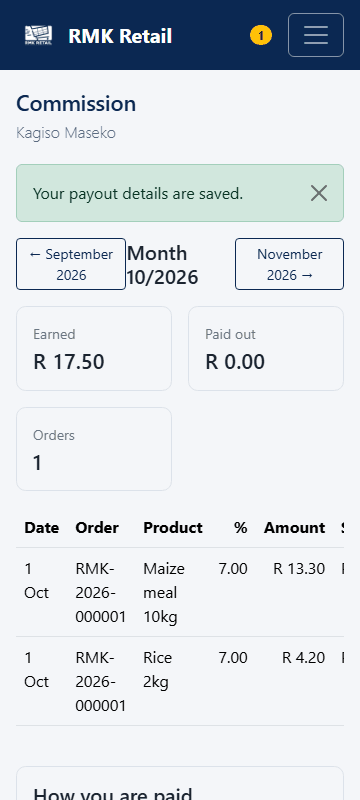
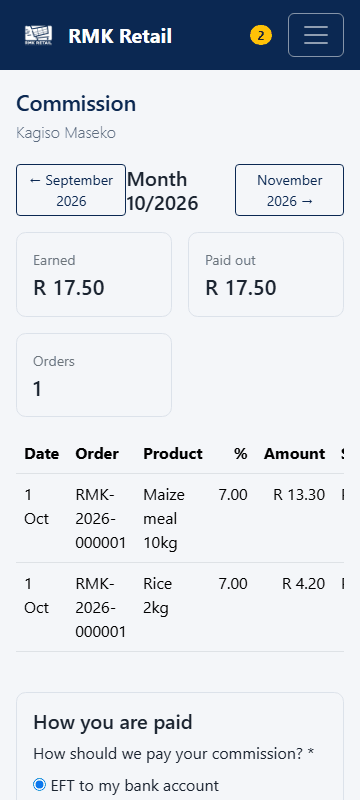
The page says "Your payout details are saved." After RMK pays, your payout and your orders show Paid.
If something goes wrong
- "Needed for EFT payouts". Fill in all four bank boxes and tap Save again.
- No payout yet. RMK pays after the month ends. Wait a few days, then ask RMK.
- You want to check your money on WhatsApp. Send
MENUto 064 654 1357, then2. It asks for your WhatsApp PIN.
Ask for help
WhatsApp 064 654 1357 · phone 015 296 4695 · e-mail connect@rmkretail.co.za · Monday to Friday 08:00–17:00, Saturday and Sunday 08:00–14:00.