Do this to see who you work with, or to add another shop.
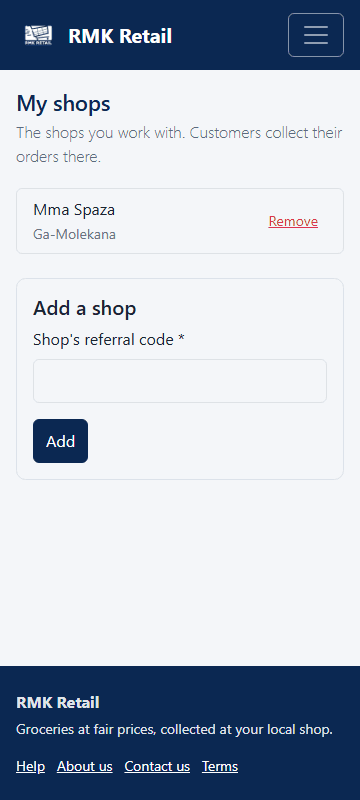
- Tap My shops in the menu.
-
To add a shop, type its code under Shop's referral code.
-
Tap the cyan Add button.
-
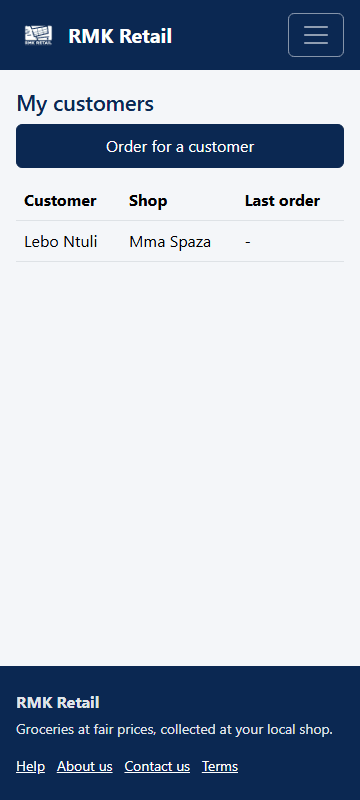
Tap My customers in the menu to see the customers linked to you.
What you will see
My shops lists every shop you work with. My customers lists every customer linked to you. You can work with more than one shop.
If something goes wrong
- "This is not a shop referral code". Ask the shop owner for the code on their Shop home.
- A shop shows "not approved yet". RMK is still checking the shop. Customers can collect there once it is approved.
- You added the wrong shop. Tap Remove next to it.
Ask for help
WhatsApp 064 654 1357 · phone 015 296 4695 · e-mail connect@rmkretail.co.za · Monday to Friday 08:00–17:00, Saturday and Sunday 08:00–14:00.