Do this when a customer comes to collect an order.
-
Tap Deliveries and collections in the menu.
-
Type the order number, name or cellphone number and tap the cyan Find button.
-
Ask the customer for their collection PIN. Type it under Customer's PIN.
-
If the order says collect R… cash, take the cash.
-
Tap the cyan Handed over button and give the goods.
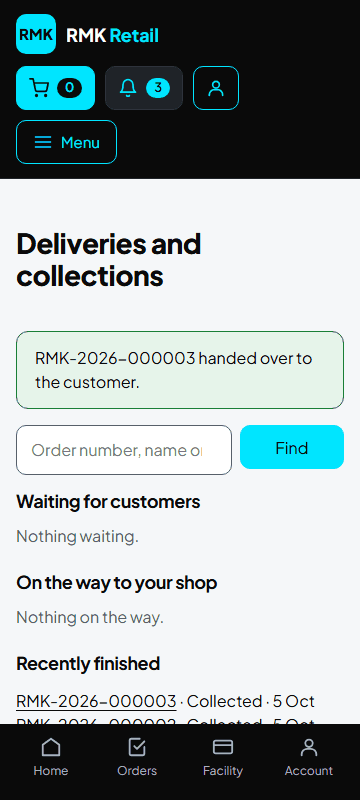
What you will see
The order says Collected. You can also use Scan a delivery ▸ Customer collects an order. For a customer without a smartphone, use Order for a customer in the menu. If you let customers buy on credit, keep the record in Customer tabs: the money and the risk are yours.
If something goes wrong
- Handed over is grey The order is not paid yet. Do not hand it over until it says paid.
- The customer has no PIN Tap No PIN? and type the reason. RMK checks it.
- The PIN is wrong Check you are on the right order. Each order has its own PIN.
- The customer did not come, or was rude Open Deliveries and collections, tap Problem with this customer? under the order, then tap Did not collect or Abusive. Only RMK staff see it.
- A customer brings back a faulty product Return it on that customer's order (see the task "Return goods").
Ask for help
WhatsApp 064 654 1357 · phone 015 296 4695 · e-mail connect@rmkretail.co.za · Monday to Friday 08:00–17:00, Saturday and Sunday 08:00–14:00.