Do this when RMK's driver brings goods to your shop. You receive the goods with your delivery PIN.
-
The driver scans each crate. Count the crates and check them.
-
On the driver's phone, type your PIN under Shop owner's delivery PIN. Do not tell the driver your PIN.
-
The driver taps the cyan Confirm delivery button.
-
Answer How was this delivery? (see the task "Rate a delivery").
-
Tap Deliveries and collections in the menu to see what came.
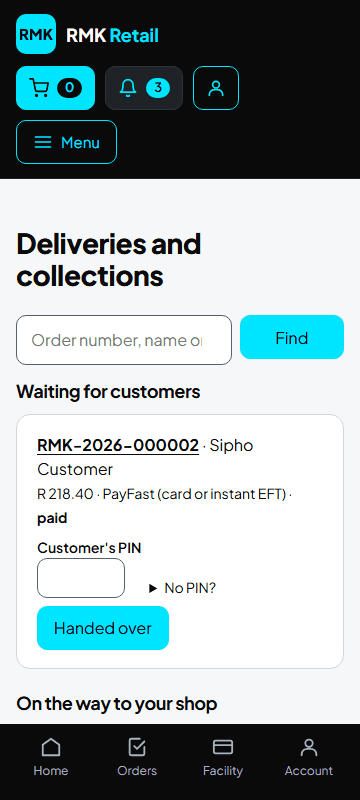
What you will see
Customers' orders now say Ready for collection, and the customers get a message. Your own stock orders say Delivered. On the way to your shop shows what is still coming, with the Expected day. The tax invoice is on each order: tap Tax invoice (PDF). "Tax invoice: waiting for VAT number" means it comes later.
If something goes wrong
- An order came, but it still says on the way Tap the white Received at my shop button on that order.
- Something is short You get a message. You pay only for what came. Your own stock comes as a back order with the next delivery, at your first price or today's price, whichever is lower. Paid by EFT? The money comes back as store credit, or tap Ask for a refund instead on the order.
- A local supplier brings goods himself Count or weigh and grade each product, write down what you refuse and why, then type your delivery PIN on the supplier's phone. You pay only for what you accept.
- The scanner says "queued" There is no signal. The scans are kept and sent later.
Ask for help
WhatsApp 064 654 1357 · phone 015 296 4695 · e-mail connect@rmkretail.co.za · Monday to Friday 08:00–17:00, Saturday and Sunday 08:00–14:00.