Do this to buy stock for your shop from RMK.
-
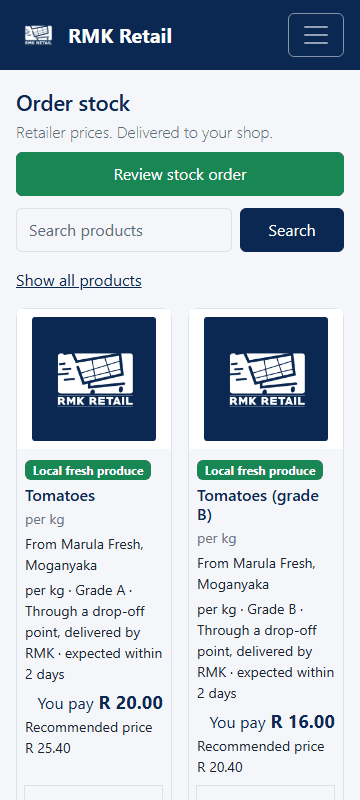
On Shop home, tap the Order stock tile. The Products page opens with Wholesale prices.
-
Look at each product: You pay is your price, with VAT. Sell for is the price to sell at.
-
Tap the cyan Add to cart button, then + or −. Some products come by the case.
-
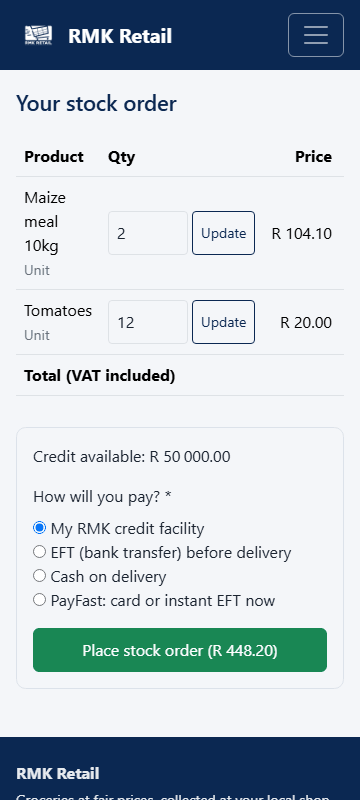
Tap the cyan Place stock order button under Stock order.
-
Under How will you pay?, choose My RMK credit facility, EFT (bank transfer) before delivery or Cash on delivery.
-
If you have store credit, leave Use my RMK store credit ticked. It pays first, so you pay interest only on the rest.
-
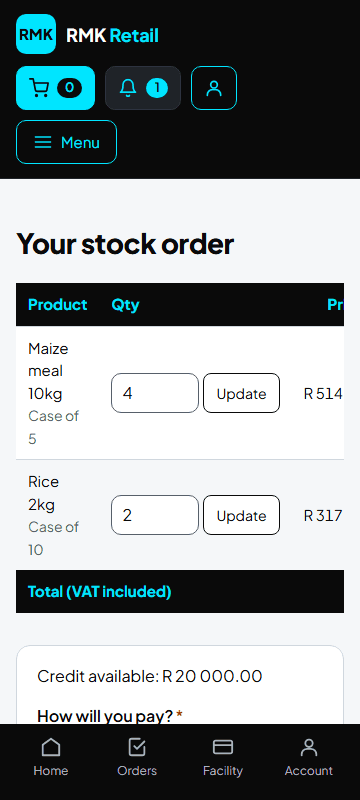
Tap the cyan Place stock order button.
What you will see
Your stock order, and it shows under Deliveries and collections. A big order may come in two or more deliveries; each part is a separate drawdown. Fresh produce and Local brands come from local suppliers at their own price: RMK adds nothing. Order per kg in kilograms (for example 2.5). To see what sells, use Scan a delivery ▸ Count stock (sell-through) (each scan counts one item), then Sell-through in the menu.
If something goes wrong
- "Over the limit" The order is more than your available credit. Nothing was ordered. Remove some lines, or pay by EFT or cash.
- Order stock is not in the menu Your shop is not approved yet. Look at Application in the menu.
- You cannot find a product Tap More products, or Can't find it? Ask us.
Ask for help
WhatsApp 064 654 1357 · phone 015 296 4695 · e-mail connect@rmkretail.co.za · Monday to Friday 08:00–17:00, Saturday and Sunday 08:00–14:00.