Do this when the van is loaded and you are ready to drive.
-
Go back to your route page.
-
Read the odometer in the van. Type the number in Odometer (km).
-
Tap the cyan Start the route button.
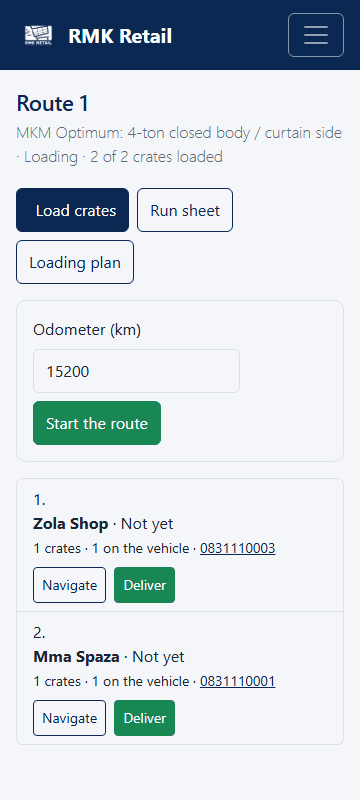
- For each shop, tap the white Navigate button to open the map.
What you will see
The customers' orders now show In transit. Drive to the shops in the order on the page. Do not change the order.
If something goes wrong
- "The odometer reading is not a number". Type only numbers, for example 245 310. Spaces and one comma are fine.
- The Start the route button is missing. The route has already started. Carry on.
- You want a paper list of the stops. Tap the white Run sheet button.
Ask for help
WhatsApp 064 654 1357 · phone 015 296 4695 · e-mail connect@rmkretail.co.za · Monday to Friday 08:00–17:00, Saturday and Sunday 08:00–14:00.