Do this once, to ask RMK to make your shop an RMK shop.
-
Tap Register at the top (on a phone, tap Menu first). Or tap Retailers in the menu, then Register my shop.
-
Tap I own a shop.
-
Tap the cyan Continue button.
-
Type your name, cellphone number and a password.
-
Tick the box to accept the terms, then tap the cyan Create my account button.
-
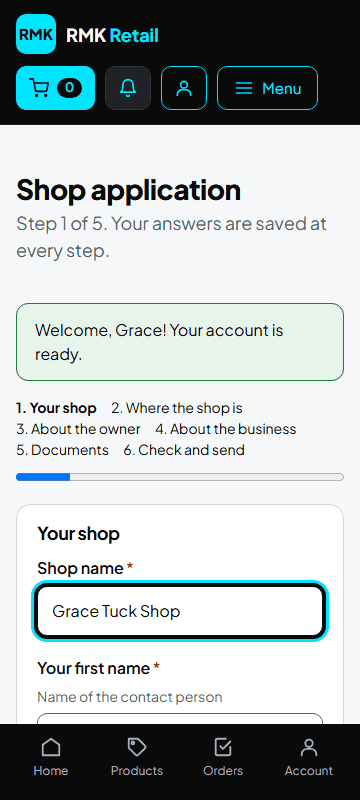
Step 1, Your shop: type the shop's name and tap the cyan Save and continue button.
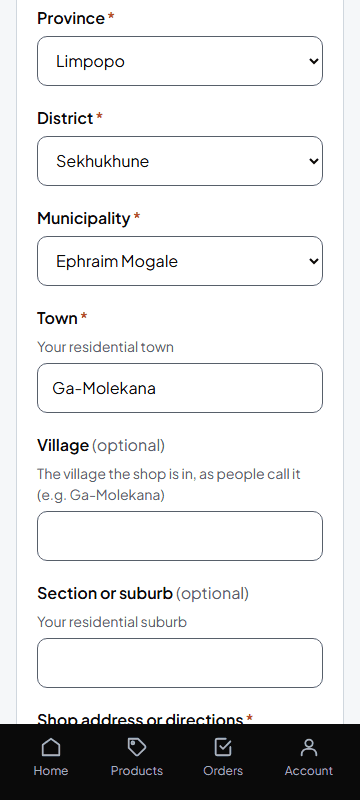
- Step 2, Where the shop is: choose the province, district, municipality and town, and type the address. A landmark helps, for example "next to the clinic". Tap Save and continue.
-
Step 3, About the owner: type your ID number, gender and disability. RMK's funder (SEDFA) needs these. Tap Save and continue.
-
Step 4, About the business: when you started, your trading permit, bank account, CIPC and SARS, and how many households are in the village. Tap Save and continue.
-
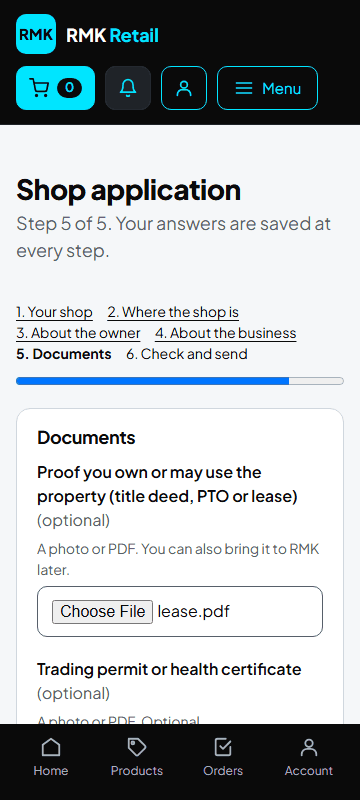
Step 5, Documents: add a photo or file of your proof of ownership or lease, and your operating permit. Tap Save and continue.
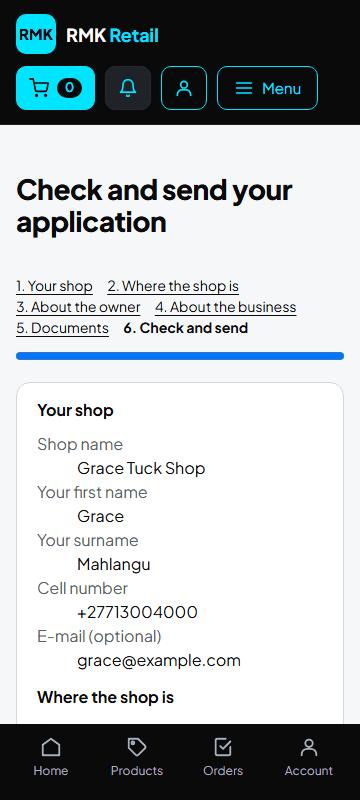
- Check everything and tap the cyan Send my application button.
What you will see
"Your application was sent to RMK". RMK checks it and lets you know. When you are approved, set your shop's location and delivery PIN (next task).
If something goes wrong
- You must stop halfway Tap the white Save and finish later button. What you saved is kept.
- Send my application is grey Something is missing. Tap the white Back button and fill it in.
- "This number is already registered" You already have an account. Tap Sign in.
Ask for help
WhatsApp 064 654 1357 · phone 015 296 4695 · e-mail connect@rmkretail.co.za · Monday to Friday 08:00–17:00, Saturday and Sunday 08:00–14:00.