When an order is R5,000 or more, RMK opens a tender for 36 hours. You get a message. Your weekly price list also takes part in every order.
-
Tap Tenders in the bottom bar (or My tenders in the menu).
-
Tap the cyan Bid button next to the tender. (On Supplier home the button says Bid now.)
-
Read the Price to beat for the whole order. Your bid wins if the whole order costs less than this.
-
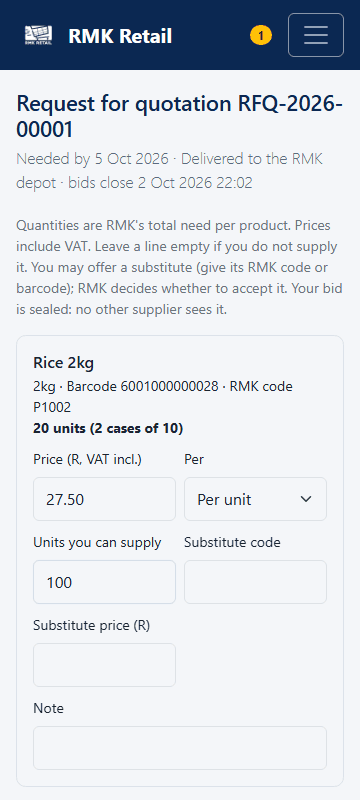
For each product, type your Price (R, VAT incl.), choose Per (unit or case), and type how much you can supply. Leave a product empty if you do not have it.
-
Under Whole bid, choose Delivery or collection and how many days your prices are valid.
-
Tick Hold these prices for the week if you want. If you win, these prices become your list prices for every RMK order from next week's catalogue.
-
Tap the cyan Submit bid button.
-
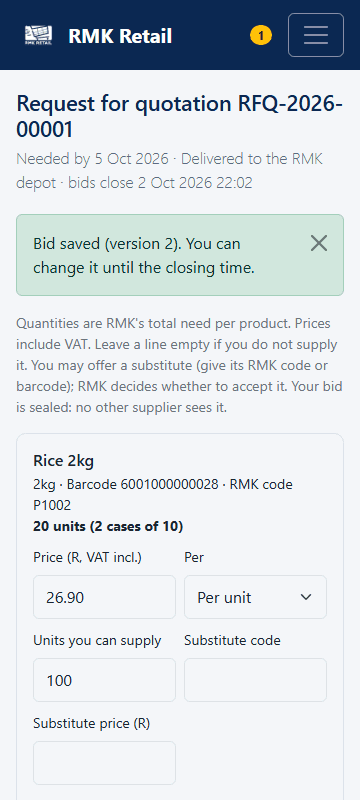
To change your bid before it closes, change the prices and tap the cyan Save changed bid button.
What you will see
You see Version 1. Each change makes a new version (Version 2, 3 …) and RMK uses the last one. Your bid is sealed: no other wholesaler sees it, and RMK opens the bids only after the closing time. You see only your own lots and the products you are approved for, never other wholesalers' prices. RMK compares every price as the price a shop would pay, plus transport, and buys the cheapest complete order. No supplier gets a preference, and rebates are not counted.
If something goes wrong
- The Submit bid button is missing. The tender has closed. You cannot bid any more.
- You can only supply part of the amount. Type the amount you can supply. RMK may split the order.
- You have a different product that does the same job. Type its code in Substitute code and its price in Substitute price (R). RMK decides if it accepts it.
Ask for help
WhatsApp 064 654 1357 · phone 015 296 4695 · e-mail connect@rmkretail.co.za · Monday to Friday 08:00–17:00, Saturday and Sunday 08:00–14:00.