Do this as soon as RMK sends you a purchase order. RMK sends one purchase order for everything it needs from you. It shows the total of each product, not the names of the shops. You also get it as a PDF file by e-mail.
-
Tap Home in the bottom bar.
-
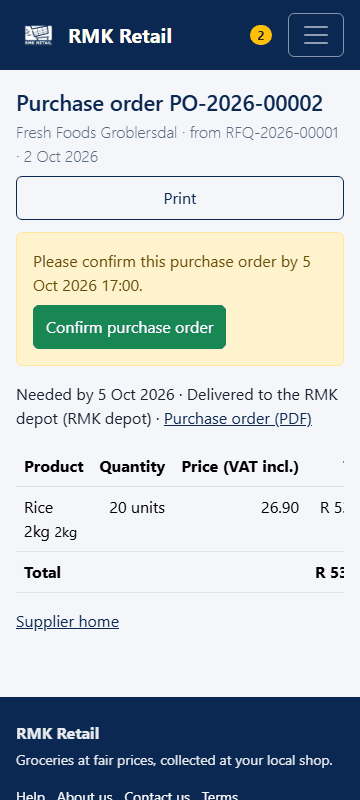
At the top, under Purchase orders to confirm:, tap the PO number.
-
Check the products, the amounts, the prices and the Needed by date.
-
Tap the cyan Confirm purchase order button.
-
If you want a paper copy, tap the white Print button.
What you will see
The page says Confirmed with the date and your name.
Time is counted in business hours only: Monday to Friday, 08:00–17:00. Weekends and public holidays do not count. If you have not confirmed after 4 business hours, you get a reminder by e-mail. You must confirm within 1 business day. Example: a purchase order sent on Friday at 15:00 must be confirmed by Monday at 15:00. Its reminder comes on Monday at 10:00.
If something goes wrong
- You missed the time. RMK staff will call you. Confirm it as soon as you can.
- You cannot supply everything. Confirm it anyway and call RMK to say what will be short.
- You cannot find the purchase order. Look under Purchase orders awarded to you on Supplier home. If it is not there, call RMK.
Ask for help
WhatsApp 064 654 1357 · phone 015 296 4695 · e-mail connect@rmkretail.co.za · Monday to Friday 08:00–17:00, Saturday and Sunday 08:00–14:00.